It’s not the AI that’s lagging. It’s your digital sprawl. If you use AI heavily, your workspace may be slowing you down. This guide won’t speed up the model—but it will clear your head, clean your slate, and help you finally get unstuck.
Written by Pax Koi, creator of Plainkoi — tools and essays for clear thinking in the age of AI.
AI Disclosure: This article was co-developed with the assistance of ChatGPT (OpenAI) and finalized by Plainkoi.
TL;DR: Your AI isn’t the problem—your digital clutter is.
If your AI chats feel slow or scattered, it’s probably not the model. It’s the mental mess. This guide helps you clean up, clarify, and get back in flow.
When You Can’t Find What You Already Wrote
If you’re using AI for serious work—writing, planning, building ideas—you’ve probably had this moment:
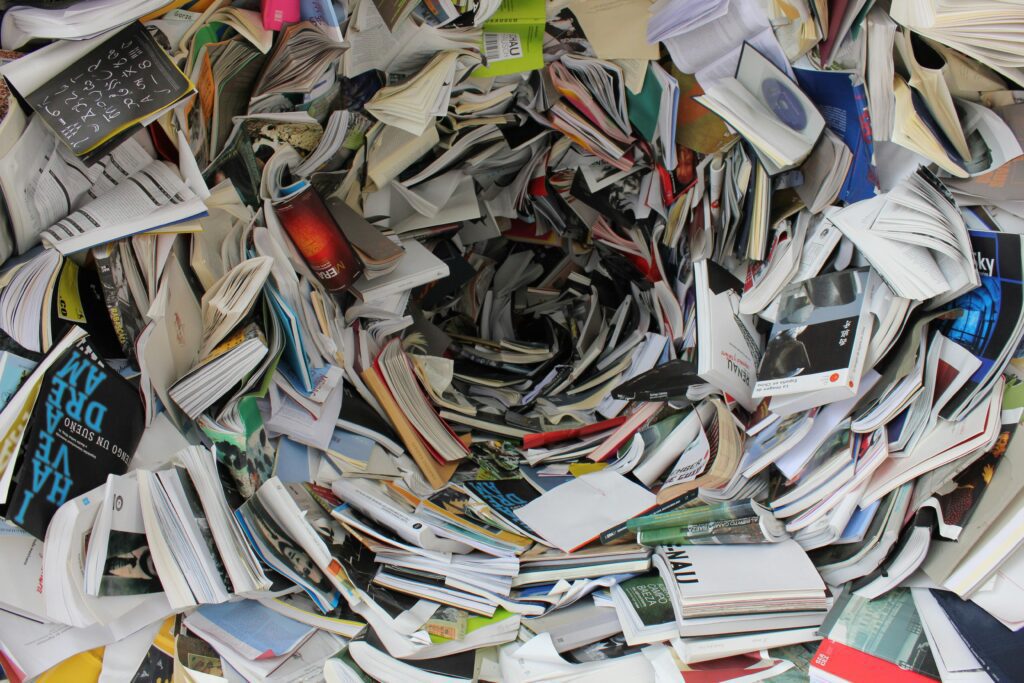
You remember a great insight from a past conversation. But when you try to find it, you’re buried in a scroll-fest of unfinished threads, duplicate ideas, and half-written plans. What started as powerful becomes… disorganized.
And here’s the truth:
It’s not the AI that’s slowing down. It’s your clarity.
It’s Not the Model—It’s the Mess
Modern AI models are getting better at handling long context. That means they can technically “remember” and reference more than ever.
But what they can’t do is organize your chaos.
Performance issues usually come from server load or model availability, not from the length of your chat history. The issue isn’t technical lag—it’s mental friction. You’ve outgrown your own system, and now it’s costing you time and creative momentum.
This article isn’t about optimization.
It’s about organization—and the surprising relief of a clean workspace.
Why Power Users Feel the Creep
If you interact with AI frequently, it’s easy to accumulate:
- Redundant project threads
- Half-finished brainstorms
- Scattered research notes
- Prompts you swore you’d come back to
And unlike your Google Drive or Notion setup, your AI chats usually don’t have folders, naming conventions, or tags. So the mess grows quietly—until you hit a tipping point where even opening your AI tab feels overwhelming.
Symptoms of Workspace Clutter
- You’ve restarted the same idea across five different threads.
- You keep thinking “I know I wrote this already…”
- You have 37 tabs open to past conversations.
- You can’t remember what lives in which model.
The Real Value of AI Workspace Management
This isn’t about making the AI “faster.”
It’s about making your thinking clearer.
Here’s what a structured audit prompt can actually do:
- Help you review and consolidate scattered ideas
- Highlight patterns in your usage and projects
- Build mental models of how you’re working with AI
- Give you a sense of closure (or progress)
- Restore creative clarity when things feel fuzzy
It’s not revolutionary. But for high-volume users, it’s incredibly grounding.
A Prompt to Help You Reboot
Below is a structured prompt you can paste into your AI assistant—ChatGPT, Claude, Gemini, or others.
It won’t delete anything. It won’t automate cleanup (models can’t do that yet). But it will walk you through a review process that helps you step back, regroup, and restore coherence to your workspace.
🧰 The AI Workspace Audit Prompt
As an automated AI workspace assistant, your primary goal is to help me review and organize my interaction history to ensure a streamlined, mentally clear environment for our ongoing work.

Please simulate the following audit:

Criteria for Review:
* Chat Threads: Identify any threads that have had no new messages from me for 60+ days.
* Project Collections: Identify any project folders or groupings that haven’t been actively updated in 90+ days.
* Redundant Content: Spot any chat threads or ideas that are 80% similar in structure or topic. Suggest merging or summarizing.
* Large Threads: For any chat that exceeds 50,000 words or 50 turns of dialogue, offer a concise summary of key takeaways.

Actions:
* Propose a list of chats or collections to archive, merge, or summarize.
* Suggest logical groupings or renaming for improved findability.
* Output a short audit report with the above findings.

Exceptions:
* Skip any thread or project marked 'PINNED' or 'IMPORTANT'
* Do not recommend deletion—just summarization or archiving.
* Do not analyze anything currently open or in active use.

Optional: Assume this audit runs monthly unless otherwise specified.
Make It Your Own
Change the 60-day rule to 30 or 120. Add custom tags like “ARCHIVE_THIS” or “DON’T_TOUCH.” Use it quarterly instead of monthly.
This prompt is a template, not a rulebook. It’s here to help you build your own AI hygiene system over time.
Why This Prompt Works
The structure isn’t random—it follows principles of high-quality AI prompting:
| Prompt Feature | Function | Why It Helps |
|---|---|---|
| Defined Role | Workspace Assistant persona | Sets expectations for the model |
| Clear Criteria | What to review & how | Keeps review relevant and targeted |
| Specific Actions | Suggest, summarize, organize | Creates forward momentum |
| Boundaries | No deleting, ignore active work | Builds user trust and safety |
| All-in-One Structure | One cohesive prompt block | Reduces fragmentation, clearer scope |
You’re not asking AI to clean your room. You’re asking it to hand you a flashlight and clipboard—so you can do it faster, smarter, and without reinventing your mental map every time.
Final Thought: Clarity Isn’t a Luxury
When your AI workspace is disorganized, the cost isn’t technical—it’s psychological. You lose flow. You get hesitant. You double back more than you move forward.
This simple audit prompt doesn’t fix everything. But it gives you a foothold. A moment to pause, reflect, and realign with how you’re using one of the most powerful tools in your digital life.
Because when you declutter your AI workspace, you’re not just cleaning up files—you’re clearing space to think.
And sometimes, that’s all you need to get back to making real progress.
Suggested Reading
Building a Second Brain
Forte, T. (2022)
Tiago Forte introduces a simple but powerful system for managing digital information overload. His Second Brain method helps knowledge workers organize ideas, reduce friction, and increase clarity—perfect inspiration for AI workspace hygiene.
Citation:
Forte, T. (2022). Building a Second Brain: A Proven Method to Organize Your Digital Life and Unlock Your Creative Potential. Atria Books.
https://www.buildingasecondbrain.com
Written by Pax Koi, creator of Plainkoi — Tools and essays for clear thinking in the age of AI — with a little help from the mirror itself.
If you’ve found this article helpful and want to support the work behind it, you can explore more tools and mini-kits at Plainkoi on Gumroad. Each one is designed to help you write clearer, more reflective prompts—and keep this project alive.
AI Disclosure: This article was co-developed with the assistance of ChatGPT (OpenAI) and Gemini (Google DeepMind), and finalized by Plainkoi.
© 2025 Plainkoi. Words by Pax Koi.
https://CoherePath.org
